


Sunday, August 08, 2010
Ys Seven for PSP
Ys Seven for PSP looks like it will be a good one!Labels: PSP App store, ys seven
posted by LiquidIce at 6:10 AM 1 comments


Thursday, June 18, 2009
The PSP Go - The Future is Here and it’s About Time
The PSP Go has been the subject of a good amount of discussion lately, with good reason. That Sony announced it’s next handheld has any number of reasons why it should be surprising. The PSP has had limited success (though you’d be incorrect labeling it a failure), and many thought Sony would simply focus its energies on the console market. On top of this though, it seemed as if these days the PSP was beginning to receive the kind of efforts and support it needed from Sony earlier than just these past few months. Now, Sony is already jumping ship towards its next handheld.
Read full article here:
http://www.powso.com/?p=614Labels: pspgo future
posted by Steve at 6:10 AM 4 comments

Tuesday, June 16, 2009
PSP Go has system features current model PSP's won't have
Sony's PlayStation.Blog.Europe recently answered questions from the community on the new PSPgo (PSP-N1000). There were several more details noted on the PSPgo that weren't on the spec sheet or announcement at E3 2009. Here are a few of the noteworthy features as mentioned by Adam Grant, European Product Manager for PSPgo:
Game sleep function:
"You will be able to operate the XMB™ (XrossMediaBar) while suspending the gameplay temporarily." This won't be available for the current PlayStation Portables (PSP-1000, PSP-2000, PSP-3000 models).
Clock and Calendar Application:
You may have seen the Clock application on the PSPgo in Kaz Hirai's hand at the E3 2009 press conference. That is the Clock and Calendar application, which isn't planned for the earlier PSP models either.
On the PSPgo's battery life:
"We have adopted an embedded battery to realise a smaller and lighter PSP system. The battery life is equivalent with the current models meaning approximately 3 to 6 hours for gameplays and approximately 3 to 5 hours for playing back videos."
Read full article here:
http://www.gamingbits.com/content/view/6008/1/Labels: pspgo applications, pspgo battery life, pspgo features
posted by Steve at 5:47 AM 2 comments

Monday, June 15, 2009
PSP Go App Store?
The incoming PlayStation Portable Go!, the new gaming handheld designed by Sony, is set to ditch the UMD drive, which has been the main content delivery system since the PSP was released. The company has said that all the games released for the PSP would be available both in physical form and as digital distribution packets.
Now, it also seems that the new handheld will be getting more content via something that will probably resemble the Apple app store. Destructoid has gotten news from sources close to game development at Sony who are saying that small applications that will not be appearing at retail will be offered through a fresh service on the PlayStation Portable Store at prices set to range from 2 to 6 dollars. The official reveal should be made in August 2009.
Read the rest of the article here:
http://www.diginewsdigest.com/en/news/1034-psp-go-getting-its-own-app-store.htmlLabels: app store, PSP App store, PSPS Go app store
posted by Steve at 6:31 AM 0 comments

Friday, June 12, 2009
PSP Go: Sony may have confused hardware for service
Sony is making waves with the PSP Go, although what many gamers are failing to realize is that the ability to buy games online and go purely digital already exists with the product they own. Everyone is talking about the hardware, when the PlayStation Network as a service is the big story... and that already works with your less expensive PSP.
Read more:
http://arstechnica.com/gaming/news/2009/06/psp-go-sony-may-have-confused-hardware-for-service-1.arsLabels: psp go hardware, psp sony service
posted by Steve at 6:33 AM 0 comments

Friday, June 05, 2009
Sony Releases Some of the New Features of the PSP Go Portable Gaming System
Sony has recently revealed some of the expected new features on their newest handheld gaming system the PSP Go. This new system has been highly anticipated and is set to be released this fall. Sony had originally proposed a lot of innovative changes for the system, but was unable to deliver on some of them. They were able to include improvements to the system and games on the new PSP Go, and they are hoping that customers and fans will enjoy what they have done with the system.
What can gamers expect from the new system? Digital downloads are now going to be faster and easier. You can choose the games that you want to download right upon launching the system. There are expected to be 100 games available for downloading from Sony. The negative to this is that gamers who have previous versions of the Sony gaming systems, are not going to be able to play their old games on the PSP Go system. It is expected that Sony will have to release some different versions that are compatible with the new system.
Gaming fans have been anticipating how the new PSP Go system will work, and how the new sliding screen feature will work. The screen on the PSP Go is 3.8 inches and the sliding feature reveals the buttons to operate the handheld system. The system is set to start shipping in the fall, so gaming fans from all over will have to keep posted for any new details and new information on the system, the new and exciting games and the pricing as it becomes publicly leaked out. There will be new information about the release of the PSP Go system posted on the Internet, as it is available and also when Sony launches the new system.
The dual memory options on the new PSP Go portable gaming device are sure to please many gamers who want the option of how much memory that they have on the device. The new digital downloading features allow users to download a lot of new games quickly and easily. Sony will also likely set up places in stores where users can dump information and games from their UMD drives unto the new PSP Go system. Sony is hoping that this will alleviate any disappoints from fans about not having the UMD drive on the new system.
Keep watching for new information and details about the new gaming system to be announced on the Internet and more details about the release date and pricing of the new system.Labels: psp go
posted by LiquidIce at 3:31 PM 0 comments
Thursday, June 04, 2009
PSP Go System Details Leaked Early
If you are a fan of handheld gaming, there is no doubt you have been eagerly anticipating more information to be released about the new PSP Go gaming system. Although Sony has not formally released information about the launch of their new gaming system, sources have been able to retrieve information on the PSP Go system that is set to launch in the fall.
Fans of handheld gaming will have to wait a little longer until more details are released about the PSP Go system about the pricing and other details but there has been some information released about the games that will be sold for it, the specs and the new features.
Gaming fans have been anticipating how the new PSP Go system will work, and how the new sliding screen feature will work. The screen on the PSP Go is 3.8 inches and the sliding feature reveals the buttons to operate the handheld system. There has been rumors of some of the names of the games to be released are Gran Turismo, Jak and Dexter and Metal Gear Solid. These are only a few of the new games set to be released with the release of the PSP Go system.
The information that has been leaked about the PSP Go system seems to have been released earlier than Sony had originally planned. They were going to announce at the E3 trade show, but sources were able to find out some details on the system and leak them out to fans everywhere. If you are a handheld gaming fan and have been waiting for Sony to release their new PSP Go system, you will only have to wait until this fall.
The system is set to start shipping in the fall, so gaming fans from all over will have to keep posted for any new details and new information on the system, the new and exciting games and the pricing as it becomes publicly leaked out. There will be new information about the release of the PSP Go system posted on the Internet, as it is available and also when Sony launches the new system.
With some of the new features of the handheld gaming system, such as the sliding screen and the extra memory, it is expected to be a good launch with successful results. If you do have games from older systems, they may not be compatible with the PSP Go system, Sony may have to release new versions or downloads online to allow users to have access to older games. Stay informed on the new details as they are released about the new handheld gaming system to be revealed.Labels: psp go
posted by LiquidIce at 3:28 PM 0 comments
Wednesday, June 03, 2009
Gamers Eagerly Await PSP Go System
In the world of handheld gaming, any new system that comes out is highly anticipated by fans of portable gaming systems. This is true for the new Sony PSP Go portable gaming system. There have been a lot of rumors surrounding the system including what some of the features will be, what games will be available and what changes have been made to the system from previous versions.
Some of the changes to the new PSP Go system will delight fans, while others may be disappointing because the proposed changes did not go through. What are the changes that gamers were waiting for? One of the biggest things that Sony had wanted to add to the new system was the dual analog sticks. Many gamers were excited to experience the true dimensions of gaming with dual analog sticks, but Sony was not able to produce this feature on the new system. While some gamers are disappointed about that, Sony did serve up some good features that many should be pleased with.
The dual memory system allows gamers to choose from 8 GB of memory and 16 GB of memory. This allows fans to put as many or as few games on their system as they would like. One of the favorite features of the new system is that there is no UMD. This means that you can download tons of games right about launching the system. It has a lot of internal storage, which allows users to choose from either 8 GB of space or 16 GB of space.
Gamers that have been anticipating the new games that will be available with the PSP Go system will be impressed to see that there are new games set to be released with the PSP Go that include Jak and Daxter, Gran Turismo PSP and Metal Gear Solid. The price or price range has not yet released. The older gaming systems are not going to be compatible, so there is a chance that Sony will re-sell the older content through the online store. Sony will likely have to figure out something to do about the lack of compatibility between older games and the new system because many gamers will want to play their older games on the PSP Go as well.
Information that has been released about the PSP Go system indicates that while Sony was not able to include all of the new features that they had originally hoped for, there are still many new features that are sure to delight gamers. Sony is hoping that the improvements over older versions of portable gaming systems will keep customers coming back to purchase the new system.Labels: psp go
posted by LiquidIce at 1:19 PM 0 comments
Monday, June 01, 2009
PSP Go
The PSP Go launches this fall. No price yet. Stay tuned for more info from Sony's presser tomorrow morning.
Hackers, get ready for this new revolution of UMD-less gamingLabels: playstation portable go, psp go
posted by LiquidIce at 12:28 PM 0 comments

Wednesday, July 16, 2008
iPhone Games
As a portable game system the PSP is a lot better than the iphone. iPhone games will never reach the fun factor of games on the PSP. There's just not enough buttons :-)posted by LiquidIce at 7:59 PM 2 comments
Saturday, November 24, 2007
PSP Installer App
I've been spending a lot of time hacking my iPhone. One of the greatest things about the hacking scene in that community is the installer.app
Why has the psp community not yet written an installer program like this for the hundreds of psp releases? Or is there one that I'm missing? I still dig through ads on pspupdates to download my apps to the pc and then sync to the psp.Labels: PSP Installer.app
posted by LiquidIce at 10:33 AM 3 comments
Thursday, October 25, 2007
Control things from your PSP
This blog still gets a ton of traffic from the PSP Home Control Post, so I guess if you found your way here you want to know more about how to control things from your PSP.
Well one of the commenter's on the blog found this:
It is a great open source project called :
PSP WifiController
It consists of an app for the PSP paired with an app for the PC that hooks into PPJoy. This means any application that you can have on your computer that will respond to joystick presses will be able to accept control signals from the PSP over wifi.
Check it out at:
http://imk.cx/psp/wificontroller/Labels: psp control, psp wifi controller, wifi remote
posted by LiquidIce at 6:53 AM 4 comments
Wednesday, August 22, 2007
Downgrade any version PSP firmware to 1.5
The holy grail of PSP hacks has been released tonight. You can now downgrade any PSP firmware to version 1.5 thanks to the dedicated hackers of the PSP scene.
to pull this off they actually figured out how to reverse engineer the process of putting the PSP into service mode and overwriting the filesystem with the original 1.5 firmware. The process involves changing the state of the battery and some copyright free code that does the filesystem operations. This works on any PSP even if it has been bricked or has the latest firmware. The best part is, it doesn't look like any firmware updates can fix this one.
So this should open the floodgates for PSP hacking and homebrew once again... now every single person who owns a PSP can play the great homebrew games and applications available for download for free from sites such as PSPUpdates.
It is still unknown if this method will work on the new slim PSP's, but not likely since the new hardware probably requires firmware newer than 1.5.
To get started with unbricking or downgrading your PSP, you need a friend who already has a hacked PSP, and an extra PSP battery is preferred. The download and instructions can be found here:
http://www.noobz.eu/joomla/news/pandoras-battery.htmlLabels: psp firmware downgrade, psp unbrick
posted by LiquidIce at 9:06 PM 3 comments
Thursday, January 18, 2007
Run 3.x firmware while retaining 1.5 homebrew
It's been a while since I've played with my PSP. Recently I got my hands on the Sony Location Free Base station and decided to try out the LF Player on the PSP. To do this I needed to upgrade my PSP's firmware, but I did not want to lose my homebrew, otherwise all of my LUA apps, and other software would stop working. I've decided to figure out how to use DevHook to emulate a new firmware, and while I was expecting a long and complicated process, it was actually really simple to do on my PSP.
This is due to the hard work of a lot of developers, and I applaud their efforts for making it to this point. A user on PSPUpdates has posted a simple tutorial detailing the process. What it does is pretty slick... You need to download 3 things. The normal PSP Update PBP, DevHook, and a script that will extract the update file and make it usable in DevHook. In less than 5 minutes I was running an emulated PSP Firmware 3.01.
I was able to get the locationfree base station streaming to the PSP after manually linking the two using Sony's Setup mode button. When the base station is streaming to the PSP, the LF LCDTV just goes black. No message is displayed to let you know what's happening and why the video signal has been lost. Apparently you can only stream to one device at a time. Pretty Lame.
The video quality to the PSP wasn't great, watchable, but not for a long period of time. The sound wasn't very good, but I think that was because the sound on my cable box was too low. I cranked the PSP to it's max volume and it was not loud and sounded very tinny.
Bottom line, the LCDTV + Sony base station works great, but the PSP player is not very useful, and the 1 stream limit needs to be increased, I'm not sure if slingbox has the same limitations, but I think I'm going to give that a shot next.
Also, you may want to take a look at PMP, which will allow you to stream media from your PC to your PSP. It works quite well, and the video quality is not bad. They have just released version 1.02 which includes even more GUI improvements and lots more. This is a much better streaming solution for your media.Labels: LF player, location free, locationfree, sony. psp
posted by LiquidIce at 7:10 PM 6 comments


Tuesday, December 05, 2006
PSP 3.01 Firmware Emulation using DevHook
The latest version of DevHook supports PSP Firmware 3.01 emulation. This means that if you one of the lucky few to own a PS3, you can now stream Playstation games to your PSP while still retaining the ability to run your homebrew applications! This is amazing progress made by a lot of different developers of the PSP Homebrew Community. Kudos to Bolster for releasing this so quickly!
You can find out more information about PSP 3.01 Firmware Emulation from:
PSP Updates
Someone also created a video tutorial on how to install the needed pieces to get this to work.Labels: psp firmware 3.01 3.0 hacked downgrade
posted by LiquidIce at 9:07 AM 0 comments
Tuesday, November 21, 2006
PSP Firmware 3.0 Released
The latest PSP firmware has been released. All you have to do is access Network Update and download the file. Of course you will lose all hope of running any homebrew for a while. So make sure you have 2 PSP's.... :-) Here is what's new:If you do not have wifi on your psp you can download the update from joystiq.
- [Remote Play] has been added as a feature under [Network].
- [Online Instruction Manuals] has been added as a feature under [Network].
- Timed recording has been added as a feature under [RSS Channel].
- A visual player has been added as a feature under [Music].
- 3-speed fast forward and fast reverse has been added as a feature under [Music].
- [Camera] has been added as a feature under [Photo].
- [UMD Auto-Start] has been added as a feature in [System Settings] under [Settings].
- PLAYSTATION Network titles are now supported under [Game].
posted by LiquidIce at 9:58 PM 0 comments
Monday, November 20, 2006
PSP Firmware 3.0 supports PS3 syncing
Here are a few of the new features that will make it into the 3.0 release of the PSP firmware:
Remote Play - Remote play is a new feature in Firmware 3.00 that allows you to remotely control your PlayStation 3 from your PSP. This also includes the display of PS3 content on the PSP. "You can display a PLAYSTATION®3 system screen on a PSP™ system and play content that is on the PS3™ system. To use this feature, you must adjust the necessary settings on the PSP™ system and the PS3™ system." Using this new mode of playback, one can control the Photo, Music, Video, and Internet Browser features of the PlayStation 3 from a remote location via their Playstation Portable.
Video Compatibility - In this updated version of the Playstation Portable firmware, you are also able to play a few new video formats. The Motion JPEG format (M-JPEG), is an "informal name for multimedia formats where each video frame or interlaced field of a digital video sequence is separately compressed as a JPEG image" (Wikipedia). The PlayStation Portable plays both the Linear PCM and the μ-Law versions of the Motion JPEG video format. In addition, you will now be able to access the Camera (functionality) from the photo option menus, for quicker easier access when taking photos or video. Another nifty function is the ability to finally turn off Auto Play for inserted UMD Discs via UMD Auto Boot. (Thanks zerojay)
PlayStation Games - Here's the big tip you've been waiting for. Finally, Sony is going to drop their highly anticipated PlayStation One emulator onto the PSP. From the manual however, there seems to be a unavoidable catch. If you don't have a PS3, your not going to be enjoying PlayStation One games emulating on Sony's PlayStation One emulator for PSP anytime soon. From the manual it states that you must connect to the Playstation Online store with your PSP connected to the PlayStation 3 in order to download and play the games. In addition, they mention that you can in fact share the games, but you must activate the other system in the Friends menu as a PS3 Network Account.
More info can be found in the PSP 3.0 Firmware manual:
http://manuals.playstation.net/document/en/psp/current/posted by LiquidIce at 7:20 PM 0 comments
Friday, November 17, 2006
PS3 to PSP Sync - Use PSP to control PS3
I'm looking for someone who has a PS3 and a PSP to test something for me. If you have it please contact me.posted by LiquidIce at 7:33 PM 5 comments
Tuesday, November 07, 2006
Time to preorder a PS3? How the PSP will Interact with PS3
The Playstation is just days away from being released. If you have not gotten a pre-order yet, getting a PS3 now would be like winning the lottery. With such low shipments, and such high demand, people are going to be willing to pay 3 and 4 times the $ for these things when the holidays roll around.
So how will the PSP play with the new Playstation 3? Sony has been pretty tight lipped about this one. Here are some good guesses:
Sony will follow in Microsoft's footsteps, and do a video distribution channel. Now that the PSP can talk wirelessly to the PS3, it will be easy for the PS3 to download high def movies for your home theater and also down convert it's high def video on demand to make it playable on the PSP screen over wifi.
It may also all tie in with Location Free. If anyone has not seen this before, you hook up a base station to your cable box and you can stream it to these nice Wireless LCD panels, your PSP, or to your PC by using software for windows XP to watch the live streams. Does anyone else notice how the new LocationFree Player Hardware looks similar to the PS3's case style?
The PSP may also be able to act as a remote control to the PS3 to make it easy to preview and queue up videos and music wirelessly throughout the house. I'm sure Sony has been itching to outdo my PSP Home Control Setup when I did that over a year ago.
I am going to try, but I don't think I will have a PS3 when it comes out. Nevertheless I'll be watching the scene to bring you the latest and greatest in PSP hacks and soon PS3 hacks. I've opened a new ps3 hacks blog called: LiquidIce's PS3 Hacks. Be sure to bookmark it and check back after launch for all of the ps3 hacking tips.posted by LiquidIce at 9:17 PM 0 comments
Saturday, November 04, 2006
Stream Live TV to your PSP using TVUPlayer PMP and VLC
Wow, this is really cool! This video demonstrates how to get live TV on your PSP over the wifi network.
posted by LiquidIce at 9:57 AM 10 comments
PSP controls PC via WiFi
This kid rigged up his computer so that the PSP can act as a controller for the PC. He is playing a Zelda N64 emulator on his PC using the PSP as the controller via WiFi. Pretty Slick kid!
posted by LiquidIce at 9:50 AM 6 comments
Thursday, November 02, 2006
PSP Touchscreen in the Works
Looks like the firmware guru's are taking a break from creating the latest PSP firmware hacks, and actually putting their efforts into creating a PSP touchscreen. I have long waited for the day I could use my PSP Home Control Software with a PSP Touchscreen. That day is getting closer.
The touchscreen will not work with any games, it will only be for modded PSP's with custom homebrew software that has been coded specifically with the psp touchpanel drivers.
Check back for more information on the touchscreen overlay for PSP soon.
Speaking of touchscreens, does anyone know of good touch screens that will open a browser in Kiosk mode? Can't get it working with the Nokia 770, and I'm not yet sold on the UMPC devices. Tablet Kiosk makes some nice panels, but I'm still not sure if it's worth the $$. Please contact me if you know of a good touchpanel solution.posted by LiquidIce at 7:40 PM 1 comments
Saturday, October 28, 2006
XBOX Remote Interface .5 Mod for PSP
This is a flash interface that will run on your PC or on PSP that can control Xbox Media Center (XBMC).
It pulls album art, and is a fast way to manage your playlist wirelessly from the PSP
Download it hereposted by LiquidIce at 7:37 AM 0 comments
Thursday, October 19, 2006
Easily Stream Digital Media to PSP, XBOX, 770 and more
I've been playing around with uPNP and TVersity. It is a central server that will allow you to easily access your digital media from other devices on your network.
It is PSP compatible.
It is free
It also works with XBMC
It streams music to a Nokia 770
It's compatible with LOTS of other devices. Definitely give it a try:
http://s3.amazonaws.com/www.tversity.com/screenshots.htmlposted by LiquidIce at 1:44 PM 0 comments
Wednesday, September 06, 2006
PSP Wifi Bot
Check out this PSP Controlled robot with Video Feedback!
http://www.youtube.com/watch?v=H4FlGPHW-q4posted by LiquidIce at 6:57 PM 1 comments
Monday, August 07, 2006
Web Browser for PSP Released
A New version Of Links2 PSP Browser has been released. This is based off the Linux browser.
From PSPUpdates:The creator of PSPRadio, Raf, has once again updated his Links2 Web browser PSP port which can be used as either a standalone application or as a plugin for Raf's PSPRadio application. The Links2 web browser for PSP is based the open source browser for Linux which is also being constantly updated. This new version is now based on links2.1-pre23, whilst the previous version was based on links2.1-pre22; bringing various upgrades along with it. Here's the changelog:
New features:
* Cookie save/restore patch from cvs.pld.org.pl/SOURCES/links2-cookies-save.patch?rev=1.2 applied.
* Merged to 2.1pre23 See Changelog.orig
* Made psp_bb_to_fb_factor a configurable parameter in links.cfg (default=1, set to 2 to enable zoom mode)
* Also changed default font to 12 from 24. (Change to 24 in html.cfg if want to use zoom mode)
Bug Fixes
* Reverted UP/DOWN behavior (user requested). (R+UP/DOWN still does page up/down, though).
I know that many PSP users are happy using the 2.0+ firmware browser and DevHook, but the advantages of this browser only become clear when you actually use it. Controls are smooth, and as you can tell, this browser loads the PSPupdates homepage with no trouble. It certainly gets rid of that annoying 'Not enough memory' error while using the firmware browser. No, it doesn't support flash, but for everyday surfing it's much more efficient.posted by LiquidIce at 8:24 AM 0 comments
Saturday, March 11, 2006
PSP Controlled Car
Looks like someone took a Honda Civic Hatchback and installed an electric motor. With some relay controllers and a wifi access point these guys can also drive the car from a PSP. Gas, brakes, steering, and control of the 21 lcd screens.
So I guess now if they go out drinking, and they're too drunk to drive home, they can just walk home and have the car follow them with the help of a PSP controller.posted by LiquidIce at 9:31 AM 2 comments

XBMC Remote Music Interface v0.2 for PSP
Since this site comes up at the top when searching for PSP control I thought I would add mention of a Xbox Media Center Controller for the PSP. It allows you to browse through files and network shares of your xbox media center and send commands to start playback or switch tracks. Another great example of using the PSP for controlling devices over a network.
It was written in Lua and has a pretty slick interface. The latest version also download album art. If you have XBOX media center on your xbox and the ability to run this program on your PSP, then definitely give it a try:
http://dl.qj.net/XBMC-Remote/pg/12/fid/4677/catid/189posted by LiquidIce at 9:18 AM 0 comments
PSP Flash SWF Player
Check this out:
http://files.psphacks.net/details.php?file=93
It's the start of a Macromedia Flash player for the PSP. It will play most flash movies up to Flash 7/8. It's still early beta, but it looks promising. I can't wait for the networking functionality to be added to this so it will be easy to make mini flash pages that can download additional content to your psp or play multiplayer flash games with other psp users over the wifi.
Also intresting is they have teamed up with RK Digital.net, Heavy.com and Newgrounds.com which shows some commercial intrest in this project. It would be sweet if Sony took this and ran with it. I could definitely see it being a nice addition to Firmware 3.0, but they're Sony and they don't listen so you will probably never see an official flash player from sony any time soon.
1.5 forever!
Great work on this guys, keep it up!posted by LiquidIce at 9:02 AM 2 comments
Friday, December 09, 2005
Location Free TV
I was just reading some information about the latest PSP firmware and noticed that it now supports LocationFree TV. I have seen this in action with a 12" panel and the interface is really nice. The stream is good quality, and considering it's wifi, there is not much delay when switching channels.
I am curious to try this on my PSP, but not quite ready to upgrade my firmware from the beloved 1.5 firmware which supports Lua.
What I am even more curious about are these LocationFree Base stations. They appear to be using standard 802.11 protocol to connect the base to the display.
I was wondering if anyone has looked at the data being sent over the LocationFree WIFI connetion to see what codecs it is using for the stream. Is it some standard H.263 / H.264 codec that could be replicated on the PC to stream video from your PC to the PSP?
It would be very cool to be able to wirelessly broadcast your own TV stations to your PSP using the software already built in to the PSP firmware.posted by LiquidIce at 1:36 PM 9 comments
Wednesday, September 28, 2005
Commercial PSP Home Control Product
So it looks like someone finally decided to market my idea.
A company called SkipJam who makes these little media centers is building a webpage into their unit that is formatted for a PSP.
Check out an article on them here:
http://www.ehomeupgrade.com/entry/1391/skipjam_announces_psp
Funny how the screenshot shows a mouse pointer. Does the PSP browser have a mouse?
Those of you who have visited this page before may remember my PSP Home Control 1.0 Project that I did back in April.
I don't want to make any promises, but since then I have made several improvements to my Home Control System and I'm hoping to share some more pics and video with everyone soon. I promise you it is much crazier than anything that skipjam is doing. Stay tuned.posted by LiquidIce at 4:14 PM 5 comments
PSP 2.0 Downgrader
Sweet! Congrats to all of the 2.0 users out there. Welcome to the wonderful world of PSP homebrew! For all of the related files pspupdates.com usually keeps a nice database of goodies in their file section.
I'm curious if there are any side effects to dong this. I wanted to try upgrading to 2.0 so I can use the browser, then downgrade back to 1.5. I'm sure in a few more weeks they will have diffed the two firmwares, and 2.0 psp's will be fully hacked- no downgrade required. Time will tell.
I am simply amazed at the amount of combined knowledge that has gone into bringing this little machine this far, with no dev kits or documentation. Much respect to MPH and the others involved in making this happen.
Remember kids, it's all about the homebrew. Don't do bad things with the knowledge you gain in the dark corners of the internet.posted by LiquidIce at 4:05 PM 3 comments
Monday, September 26, 2005
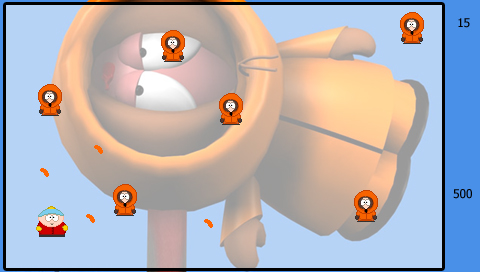
South Park Robotron 1.0
SP Robotron is ready for download at:
http://pspupdates.qj.net/2005/09/south-park-robotron-v10-for-psp.html
posted by LiquidIce at 4:19 PM 0 comments

Monday, July 25, 2005
PSP Homebrew Web Browser Released... Finally
Beating Sony to it, the homebrew devs have released a web browser for the PSP. There are now several ways to browse the internet using the PSP. There are actually a few browsers out right now, but you'll have to search for them. The one that I know of is a browser for 2ch.net a japanese site. By default the browser goes to their website, but with some clever hex editing there should be a way to set your homepage to anything you want.
Download the PSP web browser for your PSP 1.0 or 1.5 here:2ch Stand Alone Browser for the PSP
posted by LiquidIce at 5:53 AM 6 comments
Previous psphacks
- Ys Seven for PSP
- The PSP Go - The Future is Here and it’s About Time
- PSP Go has system features current model PSP's won...
- PSP Go App Store?
- PSP Go: Sony may have confused hardware for service
- Sony Releases Some of the New Features of the PSP ...
- PSP Go System Details Leaked Early
- Gamers Eagerly Await PSP Go System
- PSP Go
- iPhone Games